
Applications
Self-service kiosks for ordering, checkout and ticketing
QSR ordering, retail checkout, ticketing, registration and lobby check-in — floor-standing, wall-mounted or counter-top cabinets built on our lines with the peripherals your application actually drives. We ship the hardware under your brand; your software, payment stack and on-site deployment stay yours.
Product catalogue: Self-Service Kiosks. Enclosure colour, branding and tooling: Custom / OEM & ODM.
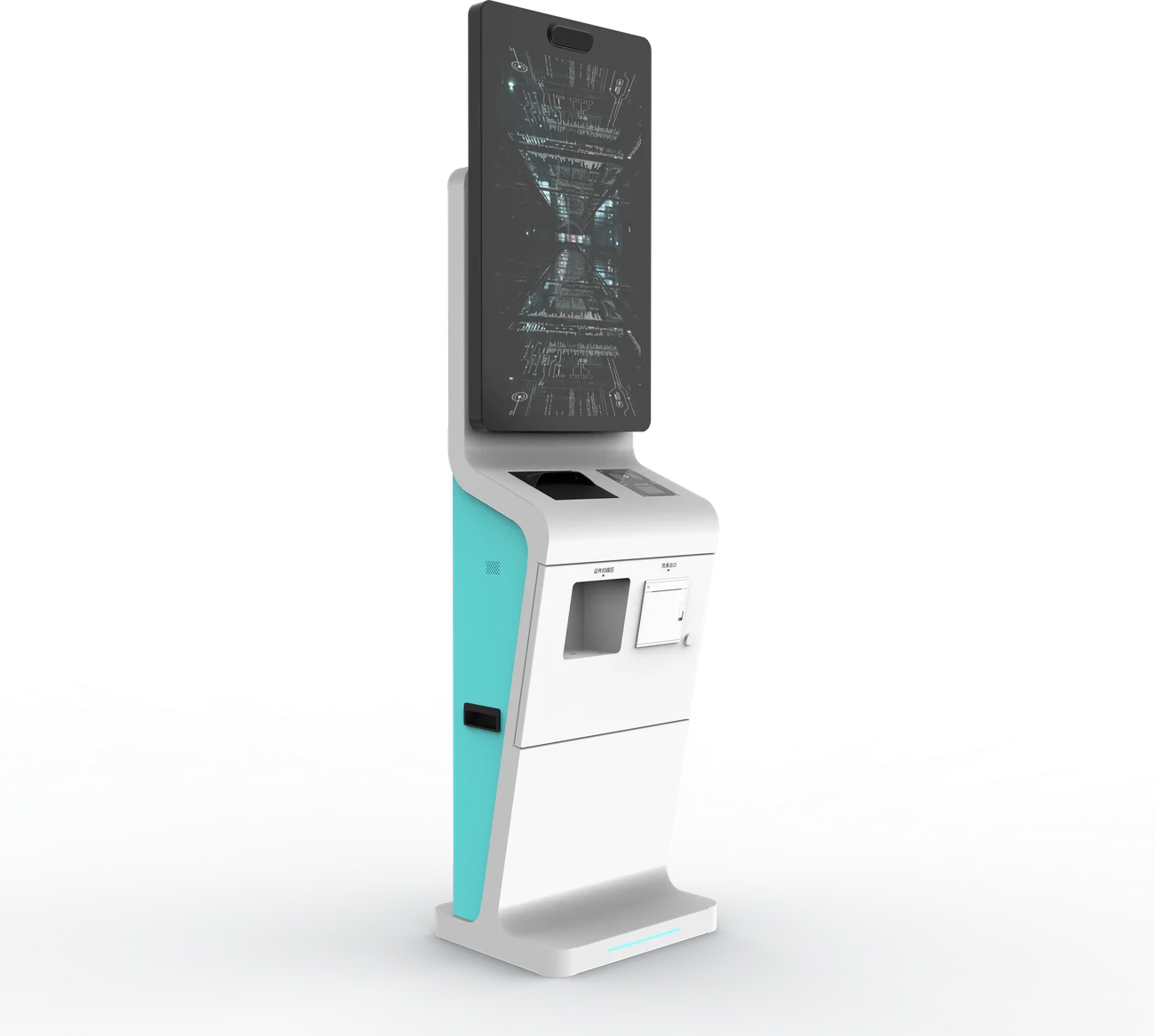
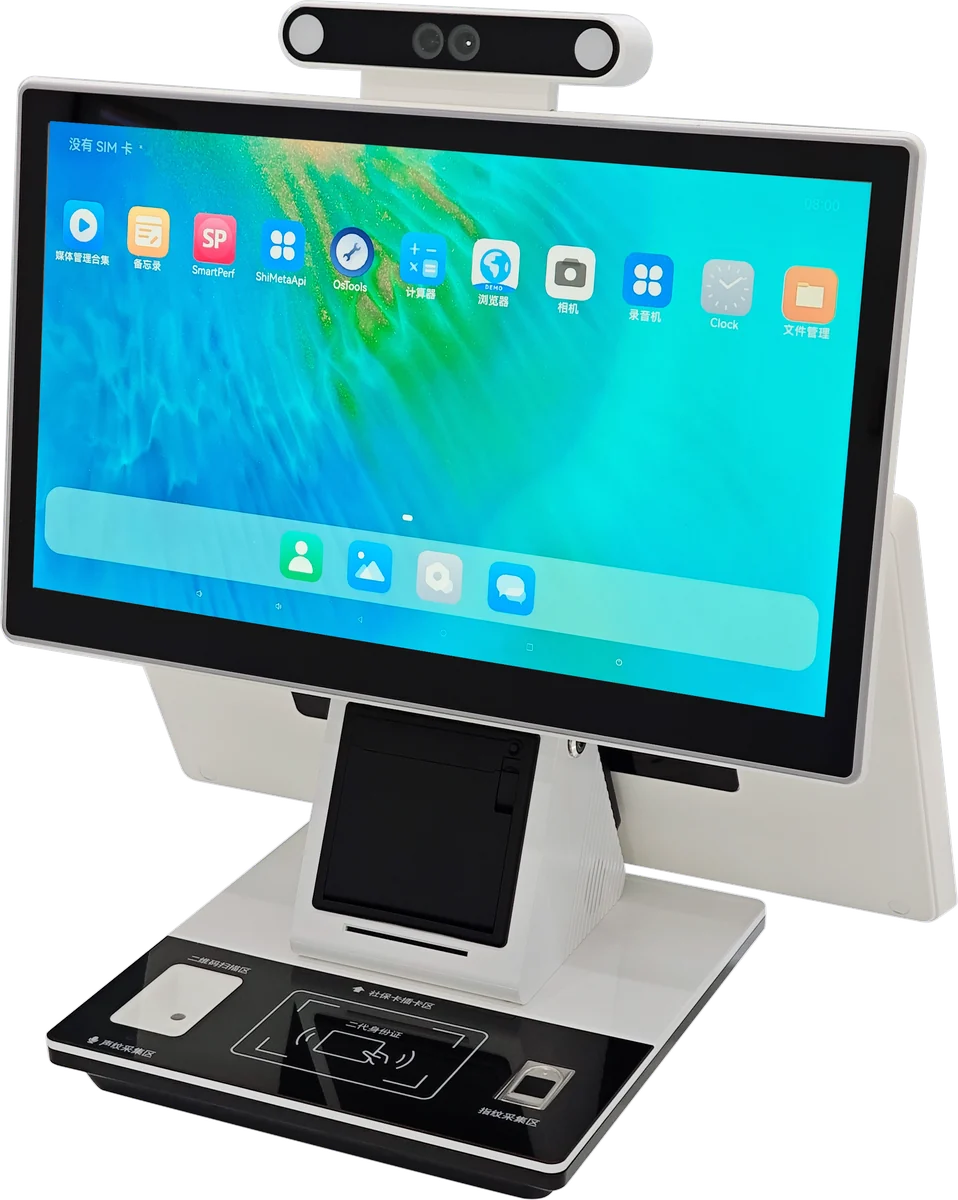
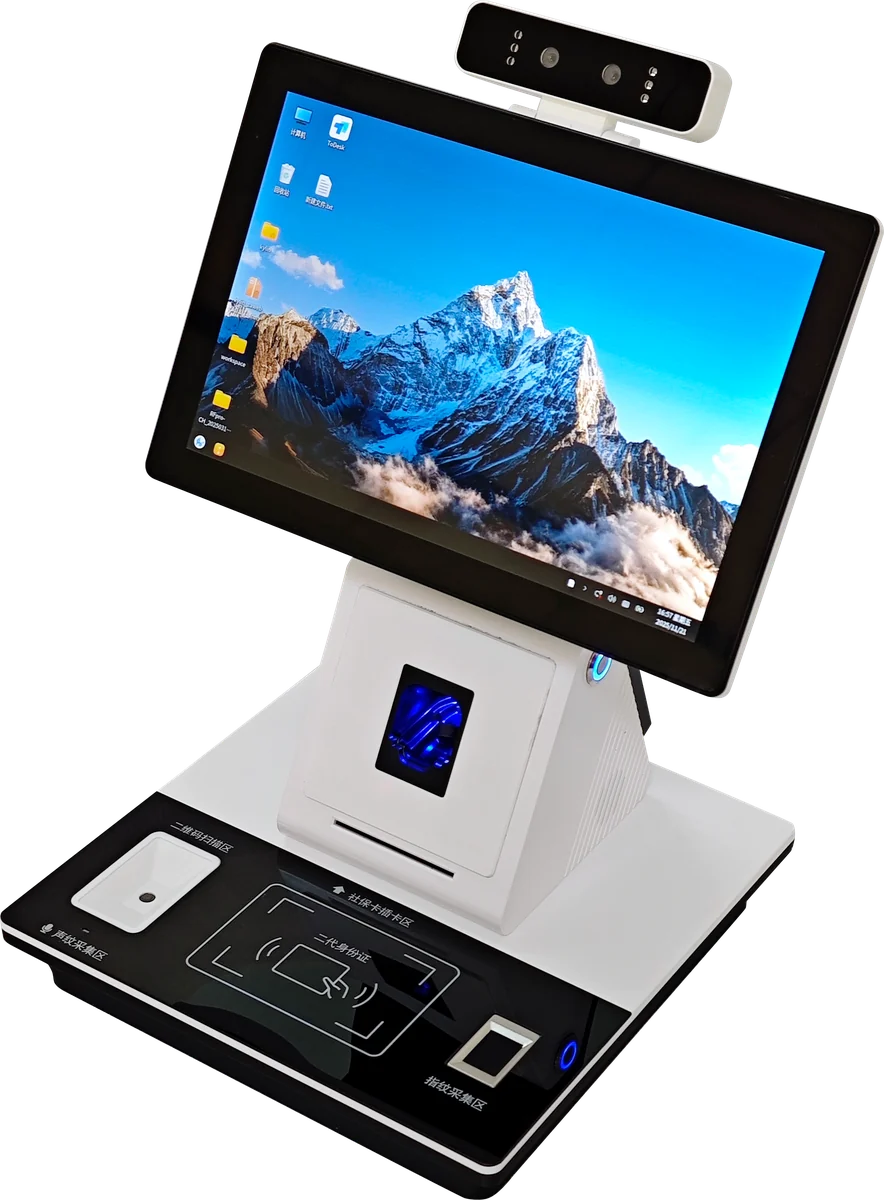
Typical self-service deployments
| QSR and restaurant ordering | Floor or wall units with projected-capacitive touch, receipt printer and payment reader cut-outs. Portrait layouts dominate; Android or Windows depending on the POS vendor. |
| Retail checkout and click-and-collect | Counter or slim floor cabinets with scanner, printer and card reader. Dual-screen options where a clerk still assists part of the journey. |
| Ticketing and registration | Lobby and hall installations with ticket printers, 1D/2D scanners and optional document readers. Same cabinet family as hospital check-in — different peripheral set. |
| Hotel and venue check-in | Wall-mounted where floor space is tight; floor-standing with castors for temporary events. Brand colour and bezel artwork matched to the property. |
| Government and service halls | Windows platforms where legacy peripherals and desktop applications still drive the queue. See also Government and Healthcare for sector-specific cabinets. |
Form factor, OS and peripherals
Decide the operating system before the cabinet. Android keeps cost and power down for browser or APK-based ordering; Windows is the right call when your application or payment middleware expects it, or when printers and scanners need native drivers.
| Floor-standing | 21.5″–32″ (and larger on request), portrait, castors optional. Best for lobbies and QSR queues where the unit is a destination. |
| Wall-mounted | 18.5″–21.5″ typical where aisle width is limited. Same board and peripheral options as floor units in a shallower cabinet. |
| Counter-top | Compact enclosures for clerk desks and guest counters; single or dual screen. Document-scanner trays and card readers fit in the base when specified early. |
| Android builds | Signage and light transactional duty; APK or kiosk browser. Lower BOM and power draw. |
| Windows / Intel builds | Full desktop applications, payment middleware, and dense peripheral sets. i3-class boards with SSD storage are the common starting point. |
Peripherals fitted into the cabinet
Thermal receipt / ticket printer, 1D and 2D barcode scanner, contactless and magstripe payment readers (device provided by your acquirer or specified by you), ID / document reader, card dispenser, camera bar, and metal keypad. Cut-outs and mounting points are provisioned in the sheet-metal so a late peripheral change does not force new tooling. Payment certification and PCI scope remain with your payment partner — we provide the physical integration.
Accessibility height, reach ranges and wheelchair approach often decide wall versus floor more than aesthetics. Call those constraints out early; moving a printer or reader after sheet metal is cut costs more than specifying them on the drawing. Dual-screen counter terminals follow the same rule — clerk and guest faces need different heights and viewing angles, which we fix in the cabinet geometry rather than with aftermarket arms.
How programmes usually start
Most buyers arrive with an application already chosen — a POS vendor, a queue system, a ticketing engine — and need a cabinet that will run it for years without looking like a prototype bolted together on site. Lock OS and peripherals first, then pick floor / wall / counter from the floor plan, then apply brand colour. Reversing that order is how projects end up with a beautiful enclosure that cannot mount the payment reader the acquirer requires.
QSR ordering kiosks see grease, constant touch and cleaning chemicals; hotel check-in units see luggage impacts; government halls see heavy daily use. Enclosure steel gauge, glass, finish and switch ratings follow that duty, which is why healthcare and government cabinets on our lines share the same construction habits even when the fascia artwork differs. If your programme spans several sectors, we can keep one board family and vary only the peripheral set and colour — simpler spare-parts planning for distributors.
Samples before volume are normal. A first article lets you validate printer paper path, reader height for wheelchair users, and boot behaviour with your APK or Windows image. Because sheet metal and assembly are in-house, a cut-out moved 20 mm after the sample does not mean starting a new supplier conversation — it is a revision on the same tooling plan.
OEM enclosure and brand
Structure, electronics and assembly sit under one roof. Colour, finish, logo placement, boot logo and packaging run as OEM options on the same lines that build catalogue kiosks. Small batches are economic because there is no second factory to re-quote when a dimension or reader changes.
| We supply | Cabinet, touch display, board and OS image as specified, integrated peripherals you name, harnesses, brand artwork on bezel and carton, destination mains plug and documentation. |
| You supply | Application software, payment / POS integration, content, site installation, network and ongoing support. For hospital or government variants, start from the sector pages and pull the same kiosk platforms. |
| What to specify | Form factor (floor / wall / counter), screen size, Android vs Windows, peripheral list and preferred brands, quantity, destination market, brand colour. Full platform tables: Self-Service Kiosks. |
Brand OEM without a second factory
Colour, finish, logo placement, boot logo and carton artwork run as OEM options on the same lines that build catalogue kiosks. That keeps small batches economic and keeps spare-parts SKUs aligned with what your field teams already know. Payment device models vary by market and acquirer — we cut the cabinet for the reader you name; PCI and scheme certification stay with your payment partner.
If the same cabinet will also appear in hospitals or public halls, start from this page for the hardware family and cross-check peripherals on Healthcare or Government. The metal and board are shared; the fascia and reader set change.
Specify a self-service kiosk programme
Send form factor, screen size, OS, peripherals, quantity and market. Feasibility, MOQ and tiered pricing within one business day.