
Applications
Government and public service terminals
Counter terminals, visitor registration units and self-service kiosks for service halls, courts, community offices and border control. One configurable platform underneath, with the identity-verification peripherals that public-sector work actually requires built into the enclosure rather than hung off a USB port.
We manufacture and ship the terminal. The identity platform, the case management system, the integration and the data handling are yours — a division that matters more here than in any other sector, and one we set out plainly further down this page.
One platform, specified per order
These are not fixed models with a take-it-or-leave-it spec sheet. Every line below is selected when the order is placed, which is why a run of two hundred units for a municipal authority costs what it does — there is no new tooling, only a different configuration of the same platform.
| Processor | Intel i3 / i5 / i7, or Rockchip RK3288 / RK3568 / RK3588 |
| Memory | 2 GB / 4 GB / 8 GB |
| Storage | 16 GB / 32 GB / 128 GB / 256 GB |
| Operating system | Windows, Android or Ubuntu |
| Display | 10.1″, 13.3″, 15.6″, 18.5″, 21.5″, 32″ |
| Touch | G+G tempered glass, 10-point capacitive |
| Connectivity | Wi-Fi, Bluetooth, RJ45, 4G, 5G |
| Mounting | Desktop, wall (VESA 75 × 75 or 100 × 100), floor-standing or cabinet |
The Intel and Rockchip options are not interchangeable in practice. Windows on Intel is what most existing public-sector software expects; Rockchip on Android costs less per unit and draws less power, and suits a terminal that only has to run a browser or a purpose-built app.
Identity and document peripherals
This is what separates a public-service terminal from an ordinary all-in-one PC. Each item is fitted into the cabinet with its own aperture and mounting, so the finished unit reads as one piece of equipment and there is nothing for a member of the public to unplug.
| Camera | Binocular 2 MP, for face capture and liveness checking |
| Fingerprint | Capacitive sensor, 12.8 × 18.0 mm active window |
| Card reader | IC contact, ID contactless, magnetic stripe |
| Document reader | Passport and ID document reading with OCR capture |
| Overhead scanner | A4-format document camera for forms and certificates |
| Printer | 58 mm or 80 mm thermal; A4 laser on the floor-standing units |
| Barcode | 1D and 2D scanning window |
| Other | Signature pad, handset, LED status bar, breathalyser module |
Three form factors
Counter-top — G6000 and C6 series
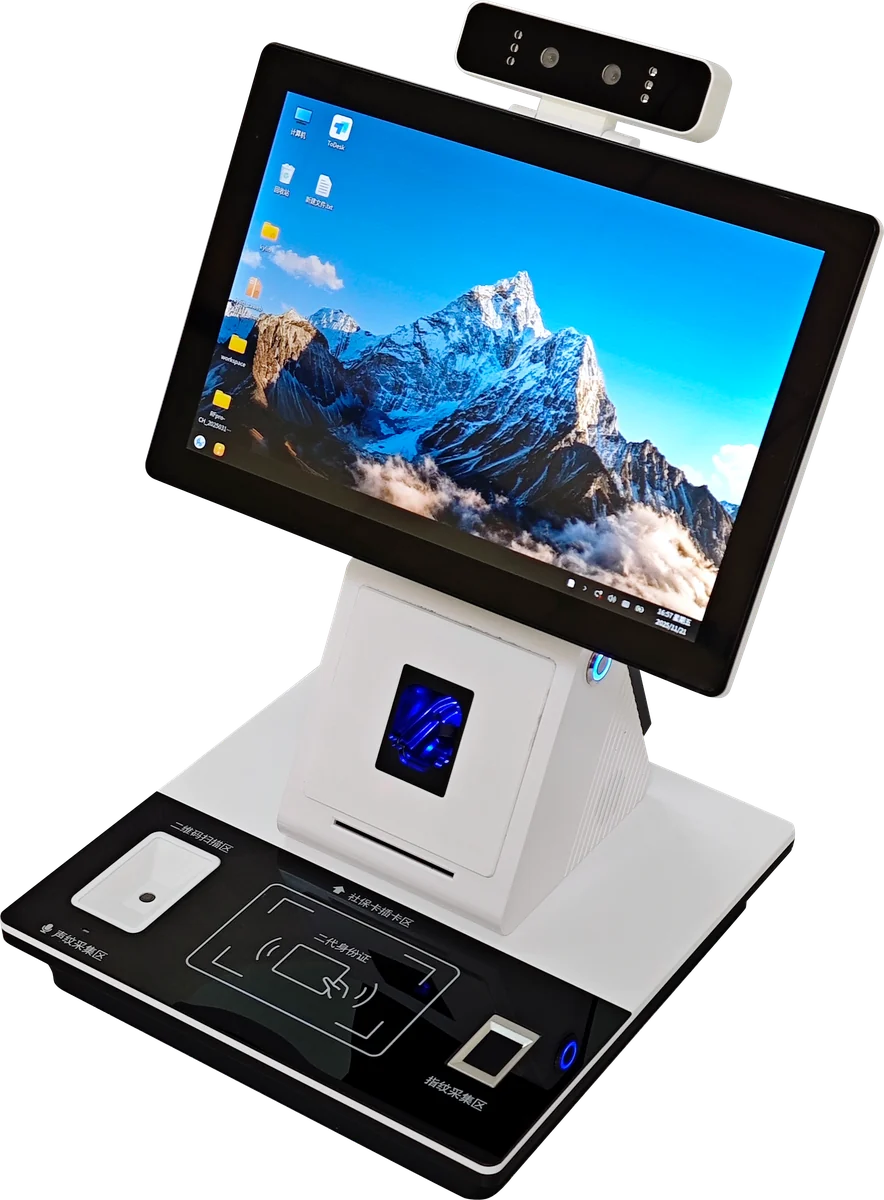
For the clerk’s side of a service counter. A 15.6″ touch screen with an adjustable-angle binocular camera above it, thermal printer, card slot, fingerprint window and scan area in one moulding. The G8000 variant adds a second 21.5″ screen facing the applicant, so the person being served sees what is being entered — the single most effective way to cut disputes at a counter. M8 adds the A4 overhead scanner, a handset and a signature pen for offices that still take paper submissions.
Floor-standing — self-service and visitor units
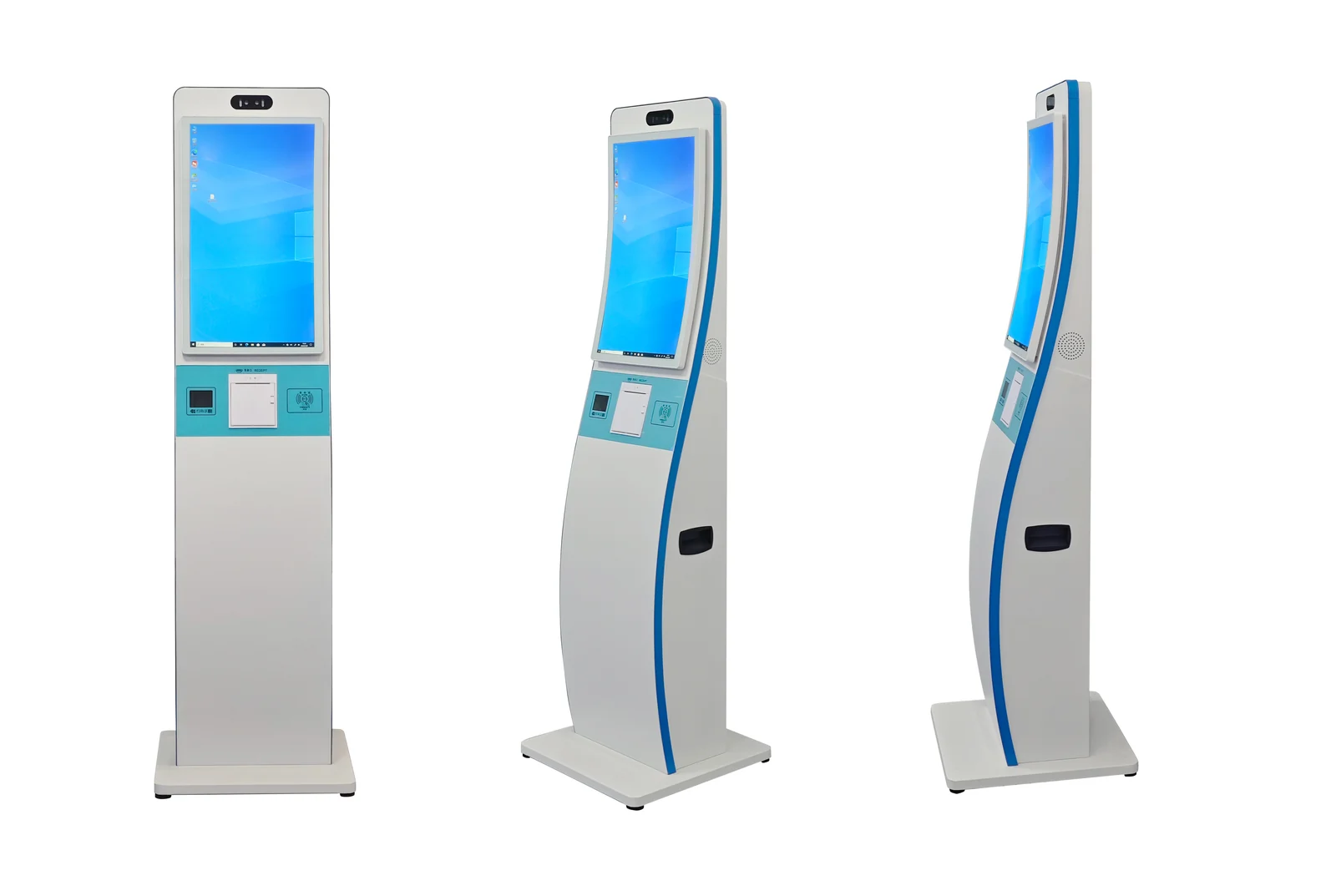
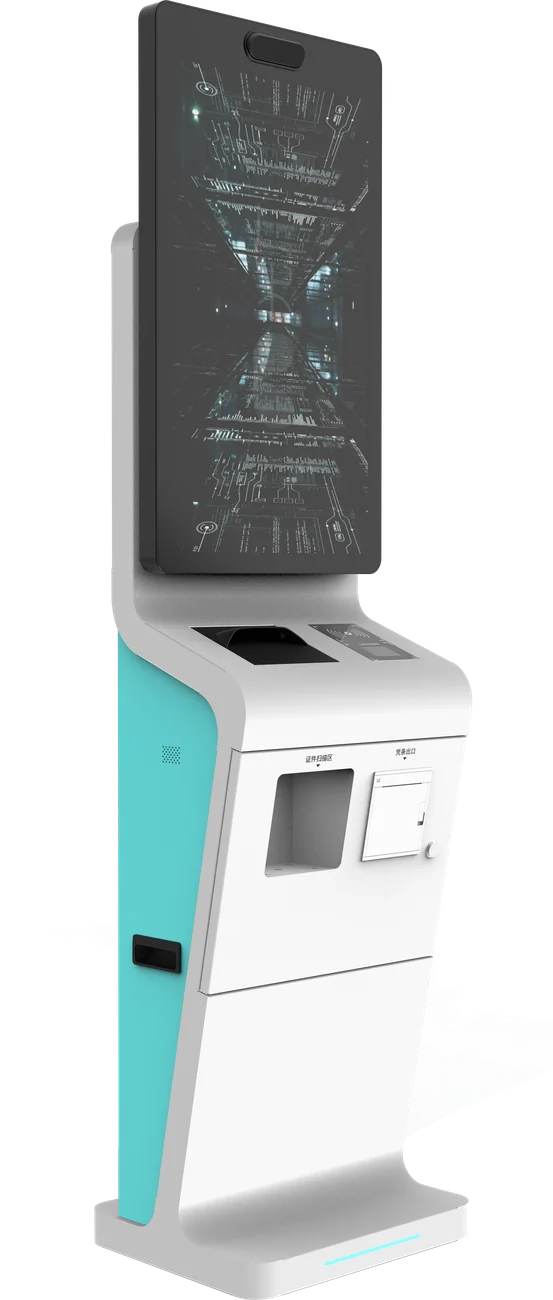
The public’s side. Four configurations are in regular production: a dual-screen service kiosk with guidance above and touch operation below; an A4-printing unit for terminals that must issue receipts and certificates on the spot; a visitor registration unit that handles appointment check-in, ID verification and pass printing without staff involvement; and a document-reading unit with a 32″ screen, passport aperture and binocular camera for identity checking at scale.
Wall-mounted and handheld
Wall units from 15.6″ on standard VESA mounts, for corridors and entrances where floor space is not available. For fieldwork there is a rugged 8″ tablet — MTK6765, Android, 4 GB / 64 GB, IP65, 8000 mAh, 650 g — with optional fingerprint and card reading, for inspection and enforcement work away from a desk.
Securing the ports on a terminal that stands in public
DECIDED AT THE DRAWING STAGEA terminal in a service hall is unattended for most of its working life, and the people who will try its ports are not always customers. Most of what protects it is decided at the drawing stage, not in software afterwards — an aperture that exists cannot be closed without new tooling, and a cabinet that opens without a key cannot be made to need one. What follows is the hardware side, which is the part we are responsible for.
| User-accessible ports | None by default. Peripherals are cabled internally to the board, so a card reader or printer cannot be unplugged from outside the cabinet. |
| Service access | Behind a locked door. Cam lock keyed alike across a fleet, or keyed differently per unit — specify which; retrofitting the other way means new locks on every terminal. |
| Exposed ports, when you want them | RJ45, USB or a charging port can be brought out through a recessed, gasketed aperture. Ask for it at the drawing stage — cutting an aperture later means new tooling. |
| Port disable in firmware | On Intel builds: USB ports disabled in BIOS, boot order locked, BIOS password set before shipment. On Rockchip builds: OTG and ADB disabled in the firmware image we flash. |
| Cable retention | Internal clamps on every peripheral lead. Without them a hard pull on a printer cable disconnects the device but leaves the enclosure intact — the failure looks like a software fault and gets diagnosed as one. |
| Tamper evidence | Pin-in-head Torx security screws on external fasteners. A door switch that pulls a GPIO line when the service door opens is available; what your software does with that signal is yours. |
| Card and document slots | Bezel geometry can be specified to resist skimming overlays. We can build to your bank’s or agency’s slot standard if you supply the drawing. |
| Glass and enclosure | G+G tempered touch glass as standard. Anti-vandal thickness and IP-rated sealing for semi-outdoor positions are specified per order. |
WHERE OUR RESPONSIBILITY ENDSWhere this stops: operating-system kiosk mode, application whitelisting, device management, certificate handling and remote attestation are the integrator’s work, not ours. We can ship a unit whose ports are physically inaccessible and disabled in firmware — a unit that cannot be locked down in software is a different problem, and one we would rather you solved before the hardware is specified than after.
What an exposed port actually costs you
The threat on an unattended terminal is not a determined attacker with time and tools — it is an opportunist with three minutes and a phone. Each port opens a different kind of three minutes, and the countermeasure is different for each. This is the table worth putting in front of whoever writes your security requirement.
| Port | What someone can do with it | What closes it |
|---|---|---|
| USB-A | Boot the terminal from a prepared stick, attach a keyboard emulator that types faster than a person, or copy whatever the running application has on disk | No external aperture; USB disabled in BIOS and boot order locked on Intel builds, OTG and ADB disabled in firmware on Rockchip |
| RJ45 | Unplug the terminal and put a laptop on the same network port — the terminal was trusted, so the port often is too | Cabled internally where the specification allows. Where a service engineer needs it, a recessed gasketed aperture behind the locked door rather than on the outside face |
| Card and document slot | Fit a skimming overlay, or jam the slot so the next user abandons the transaction with the card still inside | Bezel geometry specified to resist overlays. Build to your bank or agency slot standard if you supply the drawing |
| Service door | Everything above, at once, with time to work | Cam lock — keyed alike across a fleet or keyed differently per unit. Pin-in-head Torx on external fasteners. Optional door switch pulling a GPIO line |
| Peripheral leads | Pull a printer cable hard enough and the device drops off the bus; the enclosure looks untouched and the fault reads as a device failure | Internal clamps on every lead, so the cable fails before the connector does |
THE ONE THAT SURPRISES PEOPLEThe door switch is the item most often left out and most often wanted later. It is a GPIO line that changes state when the service door opens — the hardware is trivial. What it is worth depends entirely on whether your software is listening: an alert to an operations desk, a session lock, an entry in an audit log, or nothing at all. Decide who consumes that signal before you ask for it, because a switch nobody reads is decoration.
Writing this into a specification
Most public-sector tenders we see ask for “a secure kiosk” and then discover at acceptance that the supplier and the buyer meant different things. Four clauses remove almost all of that ambiguity, and they cost nothing to include:
- Name the apertures. “No user-accessible ports on any external face” is unambiguous. “Tamper-resistant” is not — it is satisfied by a sticker
- State who holds the keys. Keyed alike across a fleet is convenient for the maintainer and a single point of failure for you. Keyed differently is the reverse. Retrofitting the other way means new locks on every unit
- Separate hardware from software. Ask the hardware supplier for physical inaccessibility and firmware-level port disable; ask the integrator for kiosk mode, whitelisting and device management. A single line covering both is a line nobody owns
- Ask for the disable state in writing. “USB disabled in BIOS, boot order locked, BIOS password set before shipment” is verifiable on delivery. “Ports secured” is not
THE PART THAT CANNOT BE RETROFITTEDAn aperture that exists cannot be closed without new tooling, and a cabinet that opens without a key cannot be made to need one. Firmware settings and locks can be changed on a delivered unit; the sheet metal cannot. If the security requirement is still being drafted when the hardware is ordered, specify the closed version — removing a port later is a drawing change, adding one is a new mould.
Biometrics: where our responsibility ends
We supply sensors: a camera that captures an image, a fingerprint reader that captures a print, a reader that returns the data on a card or a passport. We do not supply matching algorithms, biometric templates, watchlists or any software that decides who someone is.
HOW THE COMPLIANCE BURDEN FALLSThat distinction is not a disclaimer, it is how the compliance burden falls. Biometric data collection is regulated very differently across markets — GDPR treats it as a special category in the EU, several US states have their own biometric privacy statutes, and public-sector procurement usually adds requirements on top. Those obligations sit with whoever operates the terminal and processes the data, and they need to be settled before the hardware is specified, not after.
What we can do is build to the decision you have made: fit a sensor or leave the aperture blank, put the capture on a separate secure element, or ship a unit with no biometric hardware at all. Tell us the regime you operate under and we will specify around it.
The same platform elsewhere
The peripheral set changes, the platform does not. The same boards and enclosures ship as hotel self-check-in units, border-control document readers, breathalyser stations for pre-shift screening, retail POS terminals with 80 mm receipt printing, and unattended vending. If your requirement is close to one of these but not identical, that is the normal case rather than the exception.
Related pages: healthcare terminals use the same kiosk platform with a clinical peripheral set, transit displays cover station and vehicle deployments, self-service kiosks is the same hardware sold as a product line rather than a sector, and the OEM and ODM process sets out how a non-standard build runs from drawing to delivery.
Specify a public-sector terminal
Tell us the form factor, the peripherals your process needs and the market it ships to. Feasibility, indicative MOQ and tiered pricing come back within one business day.