
Applications
Healthcare display hardware
Patient check-in kiosks, queue terminals and department signage, built on our own lines in Hunan and Shenzhen and shipped as hardware. Hospitals in China have been running these units for years; we supply the same platforms to distributors, integrators and equipment brands abroad.
We supply the terminal, not the healthcare software. Your application, your queue management system, your integration and your on-site deployment — we build the hardware it runs on, to your specification and under your brand.
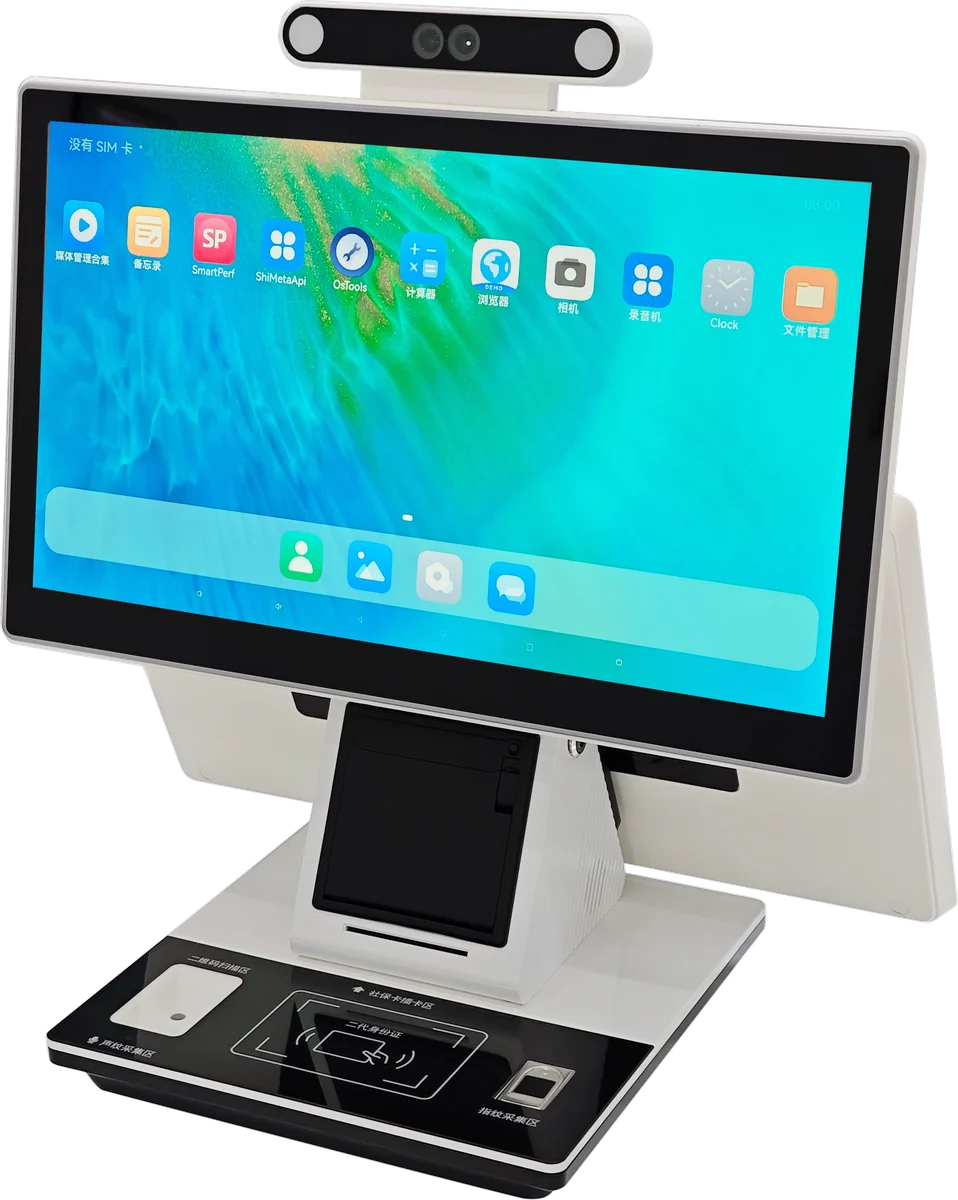
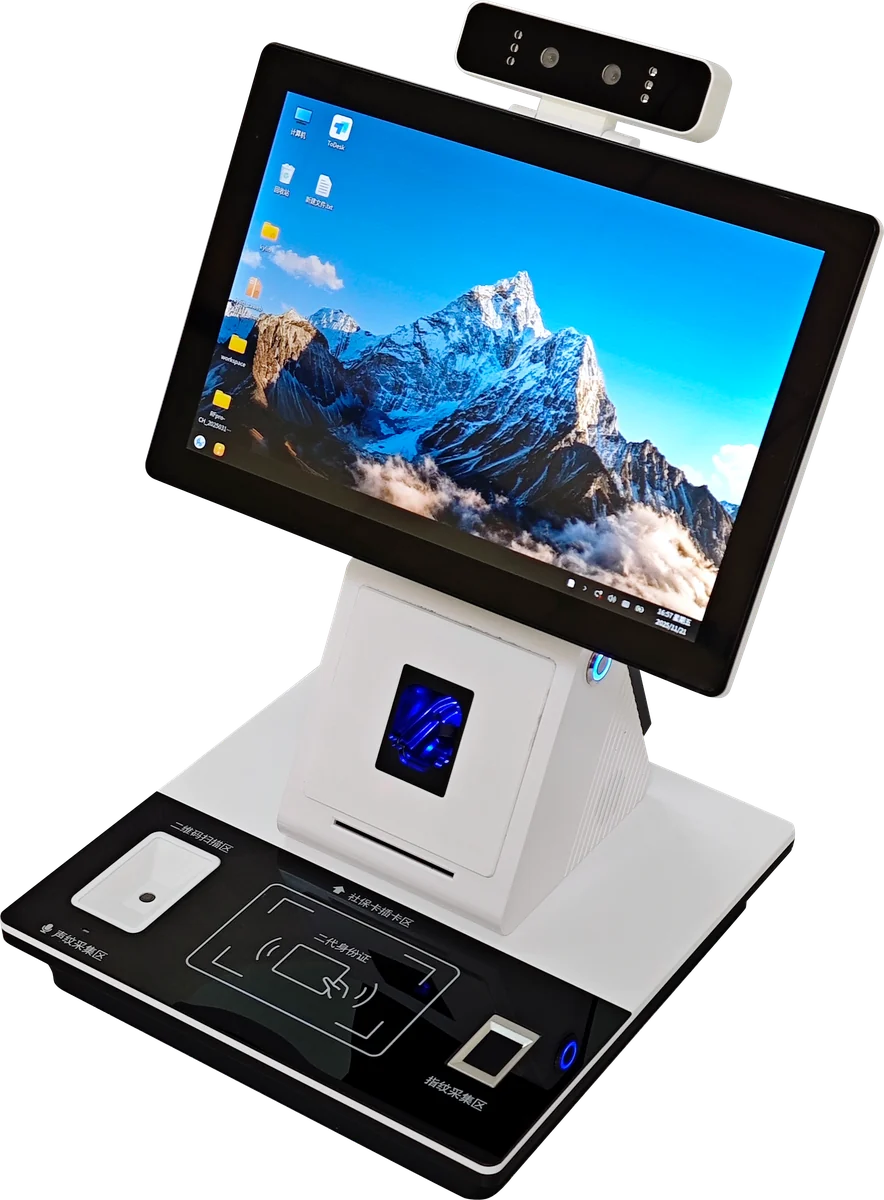
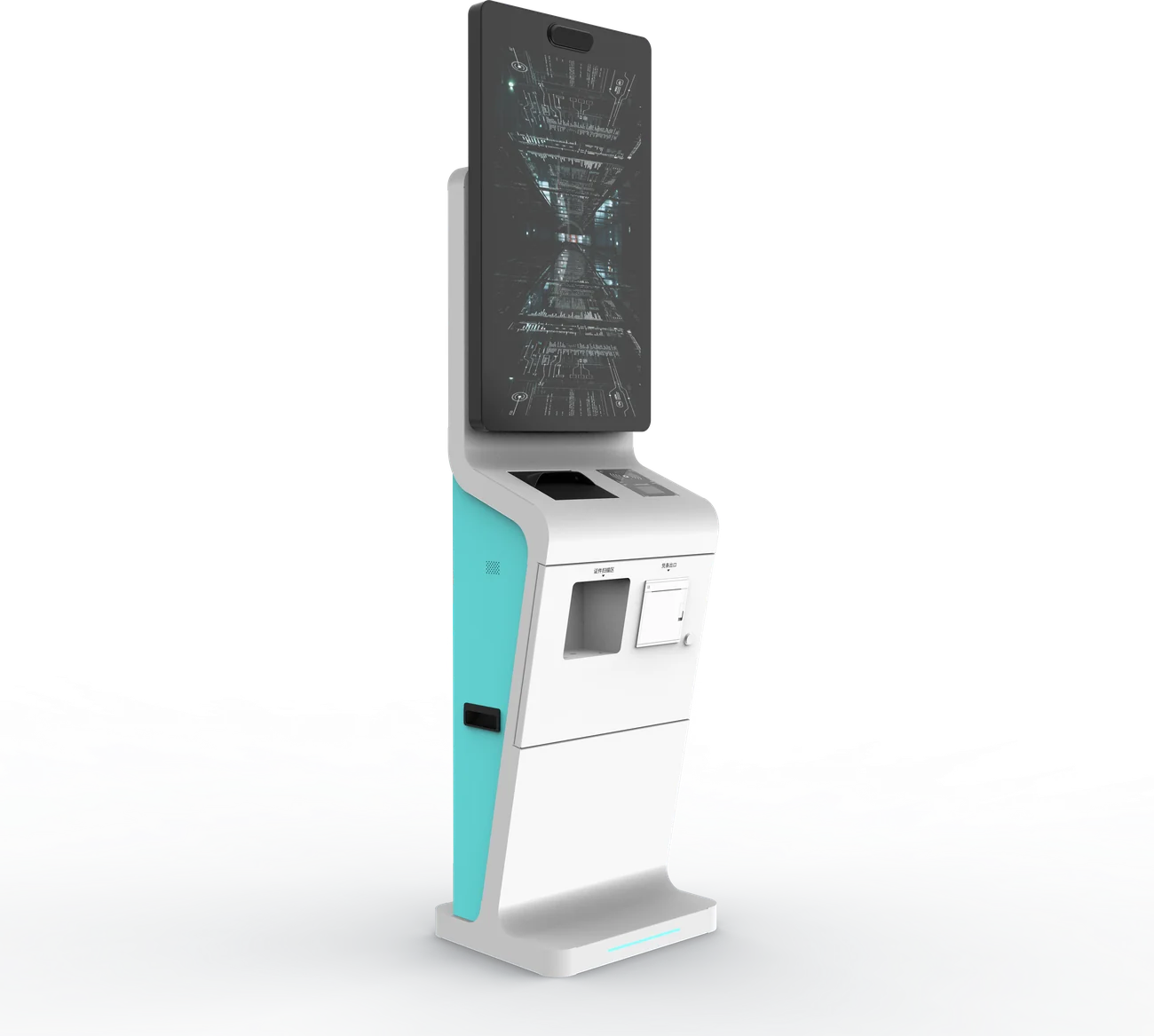
Four platforms
Two processor lines run through the range. Android boards handle signage and display-only duty at lower cost and lower power; Intel boards run Windows where your application needs it, or where printers, scanners and card readers have to be driven directly.
| Platform | Screen | Board | Typical duty |
|---|---|---|---|
| Department signage | 21.5″, 15.6–32″ optional | Allwinner A40i, Android 7.1 | Ward and clinic information display |
| Triage signage, 3-screen | 21.5″ + 7″ + 7″ | Rockchip RK3568, Android 11 | Consulting room status, one main plus two door displays |
| Wall-mounted kiosk | 18.5″ or 21.5″ | Intel i3, Windows 7/10 | Check-in and ticket issue where floor space is tight |
| Floor-standing kiosk | 21.5″ or 32″ | Intel i3, Windows 7/10 | Lobby check-in, payment, card and document reading |
Signage platforms
| Department signage | Triage signage (3-screen) | |
|---|---|---|
| Screen | 21.5″ 16:9, 1920 × 1080 | 21.5″ 1920 × 1080 + 2 × 7″ 800 × 480 |
| Size options | 15.6″ – 32″ | Main screen to specification |
| Brightness | 260–300 cd/m² | 260–300 cd/m² |
| Processor | Allwinner A40i, quad-core Cortex-A7 1.2 GHz | Rockchip RK3568, quad-core 1.8 GHz |
| Memory / storage | 1 GB / 8 GB | 2 GB / 16 GB |
| OS | Android 7.1 | Android 11 |
| Network | Ethernet, Wi-Fi, 4G | Ethernet, Wi-Fi |
| Ports | RJ45, USB | RJ45, USB, HDMI |
| Power | 25 W | 30 W |
| Operating temperature | −20 °C to +60 °C | −20 °C to +60 °C |
| Mounting | Wall | Wall |
Self-service kiosk platforms
| Wall-mounted | Floor-standing | Integrated terminal | |
|---|---|---|---|
| Screen | 18.5″ / 21.5″ | 21.5″ / 32″ | 21.5″ – 43″ |
| Resolution | 1366 × 768 or 1920 × 1080 | 1920 × 1080 | 1280 × 1024 or 1920 × 1080 |
| Brightness | 260–300 cd/m² | 260–350 cd/m² | 300–350 cd/m², 2000:1 |
| Processor | Intel i3 (2nd gen) | Intel i3 (4th gen) | Intel i3 dual-core |
| Memory / storage | 4 GB / 64 GB SSD | 4 GB / 128 GB | 4 GB DDR3-1600 / 120 GB SSD |
| OS | Windows 7 / 10 | Windows 7 / 10 | Windows 7 / 10 Professional |
| Touch | Projected capacitive | Projected capacitive | Projected capacitive, 5 ms, 1.5 mm linearity |
| Ports | USB, RJ45, HDMI | USB, RJ45, HDMI | COM1, USB, VGA, HDMI, RJ45, 2 × audio |
| Orientation | Portrait or landscape | Portrait | Portrait |
| Power | 30 W | 30 W | 220 VAC 50 Hz 2.0 A |
| Operating temperature | −20 °C to +60 °C | −20 °C to +60 °C | −10 °C to +40 °C, 20–70% RH |
Peripherals we integrate into the cabinet
Thermal ticket printer, 1D and 2D barcode scanner, contactless card reader, ID document reader, card dispenser with recirculation, camera, and metal keypad. The integrated terminal ships with cut-outs and mounting points already provisioned, so a peripheral you specify later does not mean new tooling. Cabinets are on castors where the installation calls for it.
How the cabinets are built
A terminal in a hospital corridor is touched thousands of times a day, cleaned with disinfectant, and knocked by trolleys. The enclosure specification is the same across every platform on this page because that is what the environment demands.
| Frame | Aluminium alloy outer frame over sheet steel, safety-radiused corners throughout |
| Glass | High-strength tempered glass, impact resistance above 80 MPa |
| Finish | Sand-blasted anodised; colour to your specification |
| Switch | Industrial-grade rocker switch rated for 10,000 cycles |
| Design life | Enclosure rated for 10 years of service |
| Body | Cold-rolled steel, painted; castors optional |
What we change for you
- Screen size, orientation and mounting method against your installation drawing
- Board choice — Android where cost and power matter, Intel where your application needs Windows
- Peripheral set and its placement in the cabinet, including readers for the card and document formats used in your market
- Housing colour, finish and branding; your artwork on the bezel and the packaging
- Mains input and plug type for the destination market, and the certification route that goes with it
- Boot logo, default profile and power-on behaviour
Because structure, electronics and assembly sit under one roof in our own plant, a changed dimension or a different reader does not mean a second factory to negotiate with — the same reason small-batch work is economic here. The full OEM and ODM process is set out separately, and the same lines build our portable monitor range. Check-in and payment terminals for a hospital lobby are the same platform as our self-service kiosks; waiting-room and departmental screens are indoor signage.
Specify a healthcare terminal
Tell us the screen size, the peripherals your application drives, and the market it ships to. You will have a feasibility view, indicative MOQ and tiered pricing within one business day.